The Dashboard
The Dashboard is your home base. The moment you log in, it pulls your latest data and shows you the health of your whole portfolio — who's paid, what's vacant, and what needs your attention — without you having to dig through individual pages.
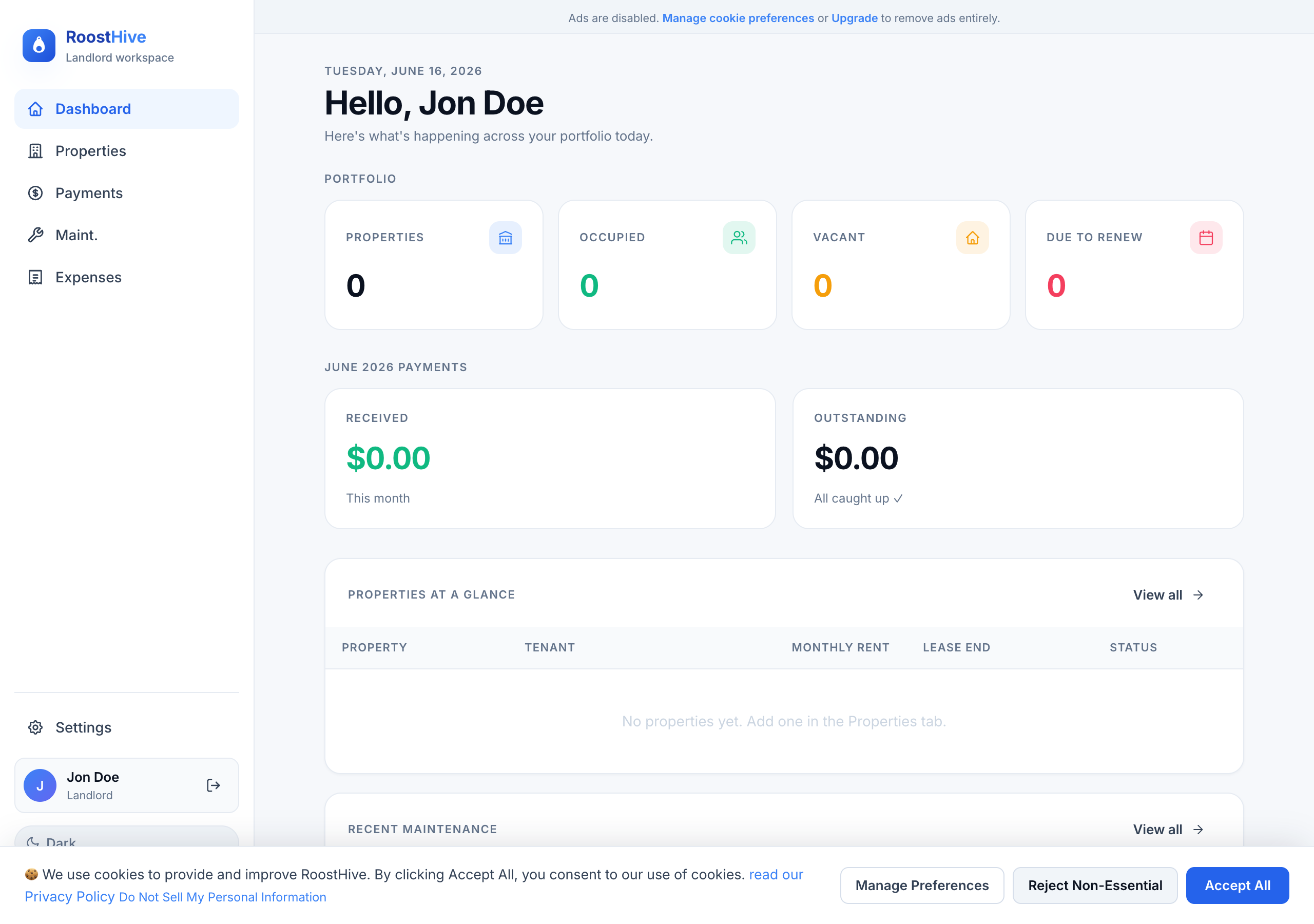
Portfolio stats
Across the top you'll see four headline numbers that summarize your entire portfolio at a glance:
| Stat | What it tells you |
|---|---|
| Properties | The total number of units you're managing in RoostHive. |
| Occupied | How many of those currently have a tenant. |
| Vacant | How many are empty and may need a tenant. |
| Due to renew | Leases ending soon — your cue to start a renewal conversation. |
This month's payments
This panel shows the current month's rent picture so you always know where you stand on cash coming in:
- Received — the total you've already collected this month.
- Outstanding — what's still owed and hasn't been marked paid yet.
These numbers update automatically as you mark charges paid over in Payments, so the Dashboard is always current.
Action needed
This is the part most landlords check first. RoostHive surfaces anything that needs a decision or follow-up — for example, rent that's overdue or items waiting on you. When there's nothing outstanding, you'll see a reassuring All caught up ✓ instead.
Properties at a glance
A compact table of your units so you can scan the essentials without opening each property. For every property it shows:
- Property — its name or nickname.
- Tenant — who's currently renting it.
- Monthly rent — the agreed rent.
- Lease end — when the current lease finishes.
- Status — Occupied, Vacant, or Due to renew.
If you haven't added anything yet, you'll see a friendly prompt: "No properties yet. Add one in the Properties tab." That's your starting point — head to Properties.
Recent maintenance
The last panel keeps repairs on your radar. It lists your most recent maintenance requests and shows how many are still open, so a leaky faucet doesn't slip through the cracks. Tracking a new repair? Add it in Maintenance and it'll appear here.
How the Dashboard stays accurate
You never have to refresh or recalculate anything. Every time you load the Dashboard it fetches your latest information from the cloud (you may briefly see "Loading your data…"). Add a property, mark a payment paid, or close a repair, and the Dashboard reflects it the next time you open it. If it ever can't load, it'll tell you clearly rather than show stale numbers — usually a quick refresh fixes it.